Has anyone else been experiencing a problem with contacting a seller on eBay posted items?
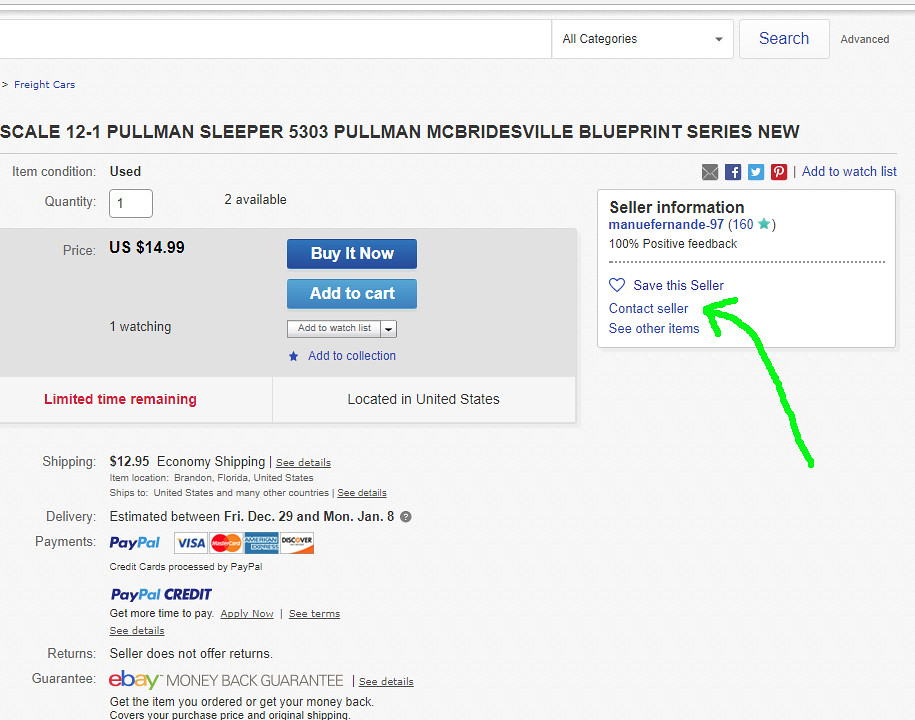
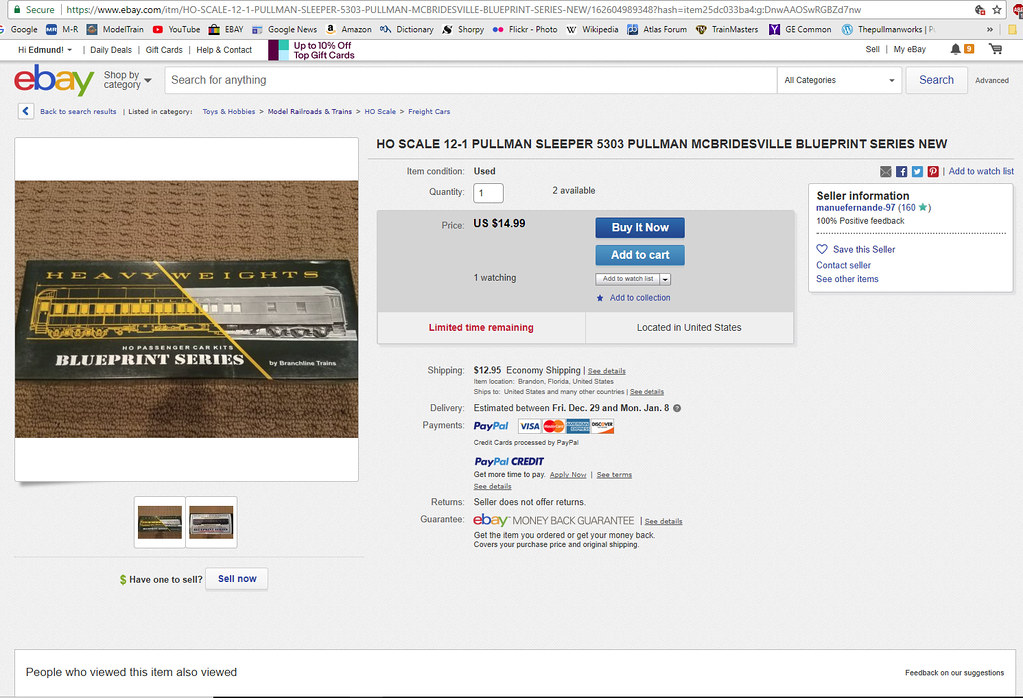
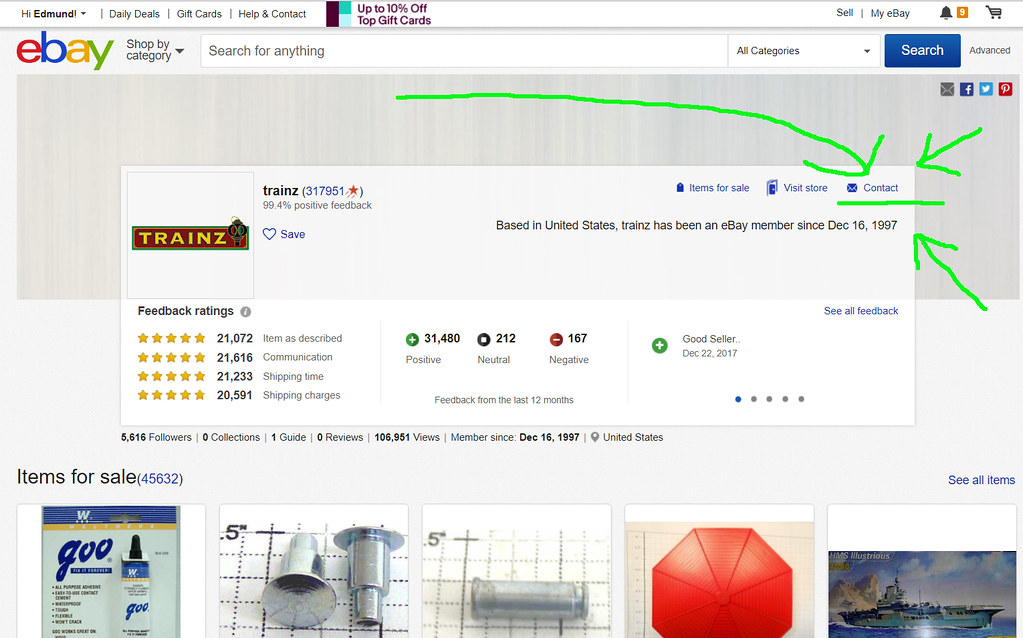
There use to be a ‘contact seller box’ on the item’s page, usually down towards the lower area of the first page of a listing. It has disappeared for me over the past month or so.
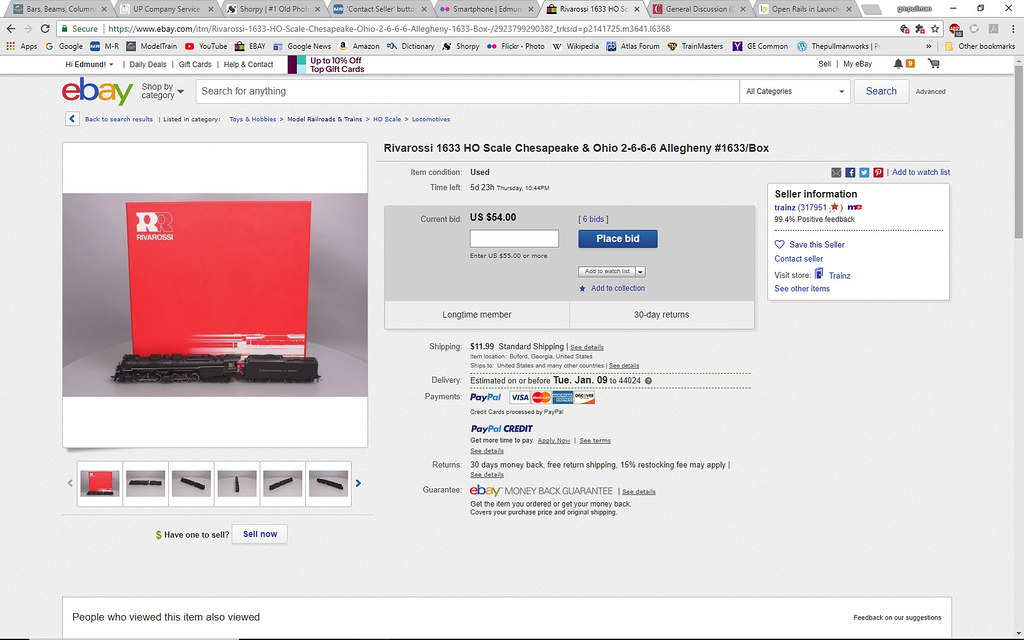
There was an item posted just recently that listed some defects, but as I looked thru the photos I thought I saw a few more defects that were originally listed. I wanted to ask the seller a question about this, BUT could not find a box/button/ whatever method to pose that question to the seller???
If you are watching the item, look on your watch list. Go to your watchlist or summary page. On the far right of the item there is a link that says ‘More Actions’, click on that and the link to ‘contact seller’ appears.
I noticed that a while ago eBay moved the Contact Seller button and in the app there is no such thing anywhere… sometimes companies claim to “update” their service or software but I’ve noticed it’s almost always a “downgrade”…
eBay on my PC doesn’t always look like that. There is not always a box with seller information. Sometimes that information is on a single line above the the price and doesn’t include the contact seller link. I just checked two different items and only one item had the box for seller information.
I didn’t know that. I use FireFox, and Windows 7 Proffesional. When I use the wife’s computer, with Windows 10, the only difference I see are the ads, and the way the sides of the page fills in.
I see the same thing Ed posted. The only difference is that a picture of the item, will be on left, if there is a picture, sometimes the seller will post something like a kitty, or something, with “No picture available”.
I could start a whole other thread on the subject of the re-formatting of web pages to satisfy all the people with their eye pads and twitter-boxes (smartphones to the rest of the world)
Now that I have a nice w-i-d-e screen monitor on my desktop, everything gets scrunched into the middle-third of the screen. What’s up with that?
And all these people taking pictures that look like THIS!
It really shouldn’t be very difficult. I have dealt with TRAINZ many times and had very good results.
Enjoy, Ed
___________________
In this particular case the photos they provided were not to clear, or close enought to see the defects they claimed were there. I also noticed a stirup missing on the tender that was not mentioned in their description? And I wonder if the sound and dcc operations were really fully tested?
I agree! I cringe every time some company says they are going to make improvements for a “better customer experience”. Run away very fast!
Ebay just “fixed” their feedback page, too. It stinks. I’m sure if I ask them to switch it back they’ll do it right away[:-^]
Yes, since you mentioned it, that TRAINZ seller always seems to have his camera in the next room. I think I bought three items from him and they were OK. Your mileage may vary.
Again, like so many threads here about ebay, buyer beware.
I personally despise software programmers who change tried and true procedures purely because they think they are improving things. I think they are missing the point when a significant number of their users have a hard time figuring the changes out. If something becomes less obvious or gets hidden, then the software writers are accomplishing just the opposite IMHO.
Somebody needs to create a customer service app that measures frustration. Said app would record how many times a user attempted to navigate through the new format, and maybe even how hard the user was pounding on the keys, or how much they were drinking to try to maintain their sanity!!![banghead][banghead][banghead][banghead][:‘(][:’(][:(!][|(]. Unfortunately none of the emoticons can really express my feelings!
When I encounter these frustrations, Dave, I always feel that there is an ulterior motive behind such “Improvements”.
Witness the recent revelation by Apple that they really DO slow down older phones, something users have suspected for years and only recently, Apple admitted, yeah, maybe we do. Your phone is slow? Well, you need to upgrade to the new ZOOM Plus model!
Again, as I posted above, so many of these improvements are for the benefit of the new “Smartphone” crowd, which I’m no part of.
It will only get worse, I’m afraid. In the U.S. the FCC just voted to repeal “Internet Neutrality” and I feel this will ultimately cause suffering for the “end user” — us!
Remember you should never assume conspiracy when the problem can be explained by mere incompetence. Those guys are quite capable of screwing up a website without needing smartphones as an excuse.
Most folks who have a significant online presence do not use the same web pages for smartphones as they do for computers. The site can tell if you’re on a smartphone or a PC. Smartphone users are redirected to a different page. Even this forum has a different page for smartphones. Folks like eBay and Amazon have apps for smartphones so their users don’t see the page at all. So in most cases the “Smartphone crowd” won’t even see the stuff you’re complaining about.
You could blame the extra work caused by duplicate development for distracting the programmers from putting the required effort into the website you use if you really want it to be the smartphone to be at fault for your inconvenience. [:)]
Dare I even mention any of the “automatic critical updates” — especially those wonderful Windows 10 ones!
Just last week I was in the middle of a project using Photoshop and Premiere Elements and all of a sudden all the text disappeared from my menus!
Windows had rolled out their “Fall Creators Update” and for the next week my PC was functioning like it had brain damage.
Of course, Microsoft claims that nothing they did had any ill effects. [angel]
Their response:
Sorry for the inconvenience.
This is a known issue with Windows 10 Creator update and Microsoft has released a new Windows 10 update KB4016240 (Build 15063.250) that attempts to fix most of the common issues faced by users who upgraded to Windows 10 Creators Update.
Please try installing this update and also clear preferences once before launching Editor. To do so, keep Ctrl + Alt + Shift keys pressed while launching Editor.
For some reason on eBay not all users get the same user profile box on their listings. It might have something to do with if they are a business or just a person. Anyway like I said some items have the box and some do not. But the best thing to do to contact them so they know which item you are referring to is to contact them from your watch page. Click the link for more actions by the item and you will see the contact seller option. When you contact a seller using this it will include the item so the seller will know exactly which item you have a question about.