Hey all,
I recently bought 2 new HO locomotives and I have question about each one.
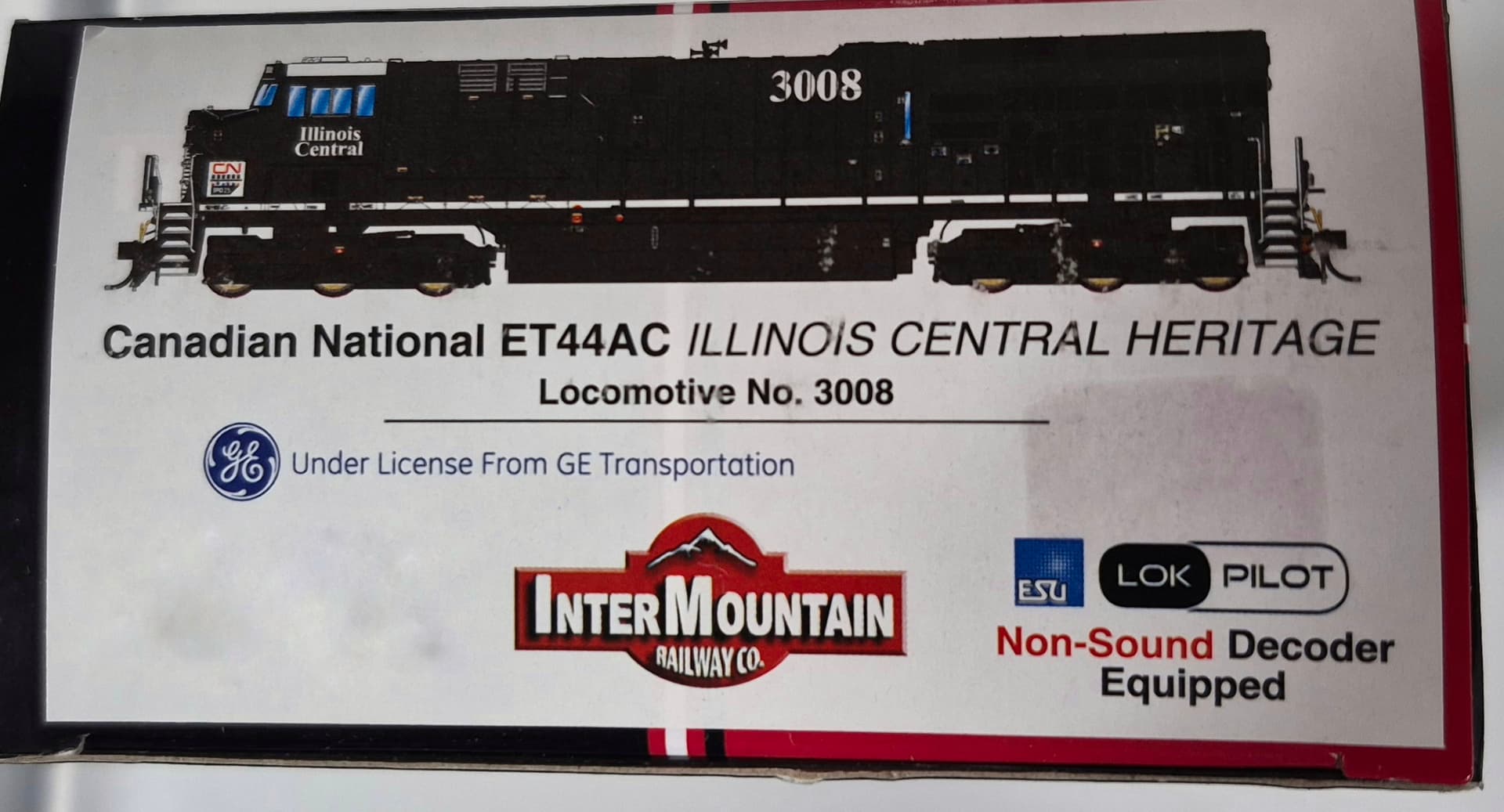
The first one is a InterMountain Railway HO scale Illinois Central CN Heritage ET44, DCC ready with a loksound V5 21-pin or a Lokpilot V5 21- pin. I only run DC and when it runs, it takes for ever to get going. The lights come on but it doesn’t seem to have the power or the train does not respond correctly with the controller. I have other DCC ready locomotives run on my DC with no problems, but why this one? What can
I do to fix it and am I hurting the locomotive running it this way?
The second locomotive is a 4 axle CNW Athearns Genesis gp38-2. The reason I bought this one is because on some parts of my layout I have 18" radius and some of my 6 axle locomotives have troubles making the turn. So I though this one will work, boy, was I wrong. The 6 axles now days run smoother and i have no problems. This 4 axle gp-38 front wheels always hop off the rails on every turn 18" or even 22" radius. And on level track. What am i doing wrong? I thought for sure this little guy would work.
Any help on this 2 topics would be greatly appreciated.
Your Intermountain behaves like it has a decoder in it…
About the Athearn, in addition to the points made by Onewolf, you can check the trucks to see if they sit correctly on the frame. Place the loco on a piece of glass and check that all the wheels touch the glass.
That seems odd. Almost all DCC decoders are “dual-mode”, they work fine on DC or DCC. DC engines that are DCC ready have a “dummy” plug installed; you remove that to plug in your decoder to convert it to DCC. If a decoder is already in it, it will run fine on DC or DCC.
However, a dual-mode SOUND decoder doesn’t work as well on DC as a non-sound decoder. The sound takes up a lot of the power that’s available, so you have to ramp the power way up to get the engine to move…and then it will be much slower than your other engines.
Since you mention Loksound in your post, I suspect the engine has a Loksound sound decoder in it. To run it on DC, you can remove the decoder (and might be able to sell it - they retail for over $100) and install either the DC plug, or a non-sound dual-mode DCC decoder.
Hey Mike, it’s very odd that your Athearn Genesis GP38-2 would have issues on an 18” radius track if longer 6 axle locomotives run fine. I have 14-15 Athearn Genesis locomotives and they can all navigate a 16” radius in my yard (not recommended though) even though the loco makes it through, a 50’ box car will bind causing problems. But I think I know what your problem is. It’s happened to me twice. Remove the shell and see if one of the headlight wires is not caught on the truck bolster inside. Sometimes those wires are hard to get out of the way when you put the shell back on, and they can limit the travel of the trucks on curves. It sounds like your issue is something simple like that. Give it a look.
Thanks for the info!
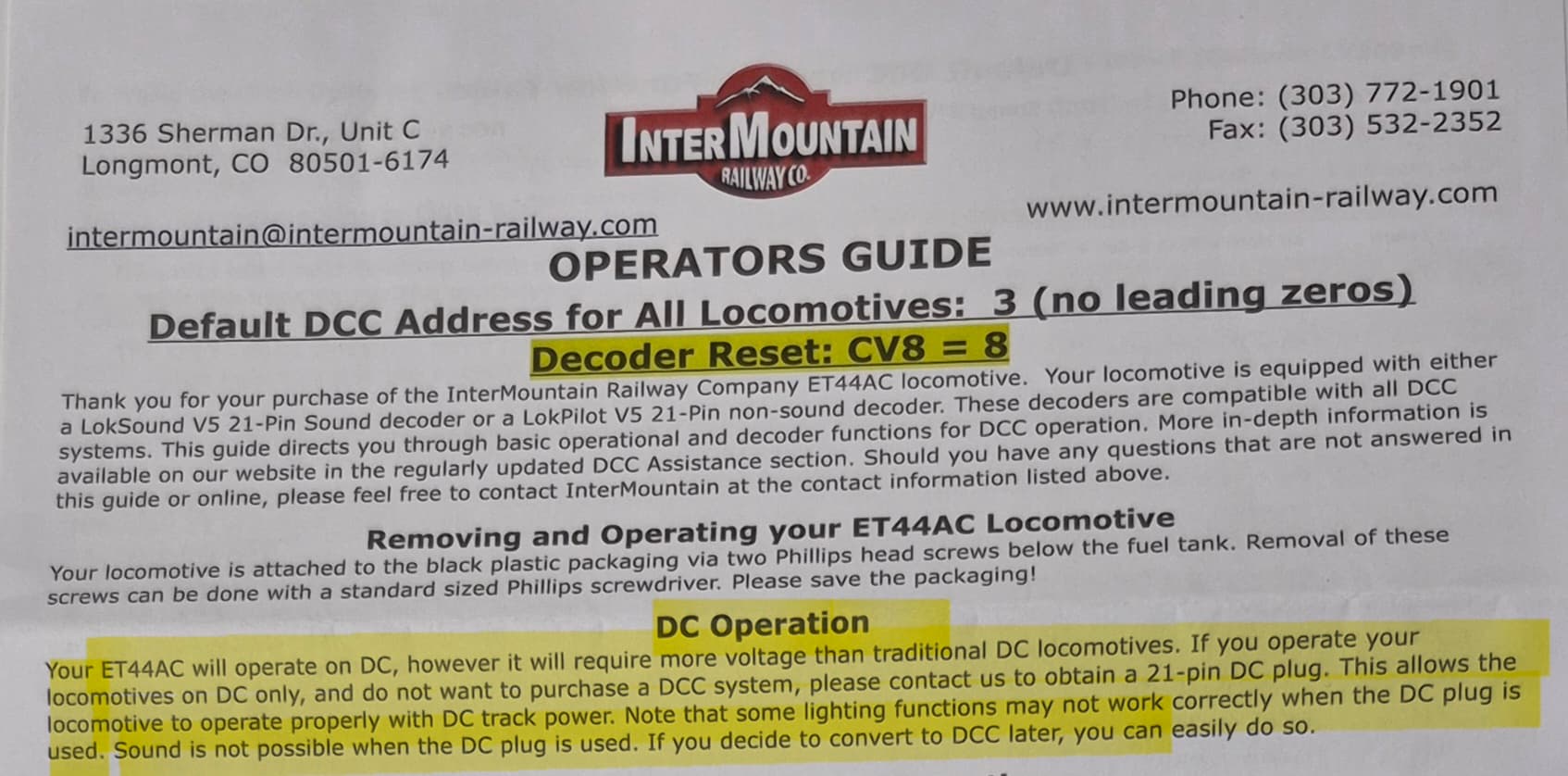
Yes, after calling the company, they said I need a 21-pin DC plug, also called a bypass or dummy plug, for it to run on DC. It does currently run on DC, but you have to run it full throttle to even get it going(to move), and then trying to stop it is hard as well. It’s not a locomotive you want to do any switching in the yard or you will damaged cars and/or go through alot of Kadee couplers. Plus, they said you will ruin the mother board if running it that way for too long on DC. I have bought alot of DCC equipped locomotives that I run on my DC layout with no problems, so this is truly a first for me. As for someone like me who still runs DC only and wanted this particular locomotive not knowing about this. Then getting it home finding out you need a part that will take 6-8 weeks to get it before you can even run it properly. You can say I’m a little aggravated. Plus, possibly pay even more to have this part and for it to ship. WHAT?!?!
Now, if i go in and take the decoder out that’s in there currently, will it still run or does something have to replace it?
I have played with it some more today and the front wheels come off the rails after passing over the straight part of a switch or even road crossings i made out of balsa wood. My other locomotives pass over these wood crossings with no problems at all. And these crossings are on straight track. I placed the locomotive on a piece of glass and all the wheels are touching the glass. Do you think the wheel spacing on the front trucks are not correct? I mean it literally hops off the track when hitting a switch, a small piece of ballast, or road crossing. Pretty much every 2 feet.
I currently don’t have a wheel gauge, but what should the measurement be between back to back trucks? And can i just use a ruler? And, how do move the trucks with out damaging anything in the process?
A wheel gauge is definitely worth having. I’ve seen this happen with rolling stock before, and after swapping out the wheel sets the problem vanished. I’m pretty sure you’ve got the problem identified. There’s no other logical explanation other than a wheel set being out of specs. Does the loco do the same thing in reverse. If so, you’ll have to replace both front and back. Good luck!!
If it is “DCC Ready” it means it came from the factory with no decoder, and a DC “dummy plug” plugged into it. Period. They don’t sell “DCC Ready” engines without a dummy plug…and they don’t sell “DCC Ready” engines with a DCC decoder installed. Is this a truly “new” engine, or second-hand? It could be it came DCC Ready and the previous owner removed the dummy plug and installed a decoder.
If it has a ESU decoder in it, the Loksound sound version will act the way you describe when running on DC. It will take almost all the power your DC controller has to get it to move, because the sound takes up so much power. Does the engine make sounds? If not, it could be the speaker has a loose wire or something, rendering it silent.
If it is a non-sound decoder, it could be one of the speed CVs has been mis-set somehow. It would affect how it runs on DC also.
Maybe find a friend, local club, or local hobby shop that can test the engine on DCC and see what is going on.
Here is what it says on the outside of the box and user guide inside. I currently don’t plan to go DCC right now, but eventually will. I was just figuring that with the DCC equipped locomotives I’ve bought already in the past, (that worked on my DC only track), this would do the same. Again, this is the first time I’ve purchased anything from this company.
If you get a 21 pin “dummy plug” to convert to DC-only, be careful when you “pull” the existing 21 pin decoder up from the light board. Otherwise, you could bend the pins out of shape.
You want to exert very even upward pull on both sides. I’ve found a small screwdriver shaft placed underneath will help lift it off evenly.
Just so you are aware, the ability for DCC locomotives to function on DC tracks was not always possible. It seems like just in the last 10-15 years has that become more common. And functionally, it’s not something I would depend on.