I bought decal paper an want to make decals for buildings an for a gas station that i made.how do i make decals?
This sounds like a solution in search of a problem. Anyway, here is the result of a Google search.
http://www.google.com/search?hl=en&ned=us&q=making+decals&btnmeta%3Dsearch%3Dsearch=Search+the+Web
Rich
Did you buy paper for an Inkjet or Lazer printer?
If for inkjet you just print off your graphics onto the paper, spray a poly-urethane clear paint on them, let dry, then apply.
For lazer printer, just print them off and apply. I did my own and took them down to the print shop and had them print them off on their lazer printers. 15 cents per sheet.
It sounds to me like you already have the “decals”. What you want to know is how to make the artwork to go on them [:)] In your favorite drawing program you will need to create the image you want to apply to the model. I personaly use vector based artwork to make all of my decal art. Raster based images can also be used and I have seen some nice work done with them, but they are a bit harder to manipulate if sizes need to be adjusted. If you are able to work with vector based images there are some great websites out there that have company logo’s already done up. This is one of the sites, http://www.brandsoftheworld.com/ . Remember though, these are not clipart images that can be opened in a raster based program.
Dan Pikulski
Another question - did you get clear-backed or white-backed decal paper? The clear-backed stuff will be clear everywhere you don’t print something. The white-backed paper will be white where you don’t print something, much more like a sheet of paper. In general, with white-backed paper you need to carefully trim the decal before applying it.
Computer printers do not print white. They depend on the paper to be white. This also goes for colors - pale colors like light blue or yellow use minimal ink, but they show up because the background is expected to be white. So, this creates a problem if you’re printing a design with white or pale colors in it. If you put this on a clear decal and then apply to a dark-colored surface, it’s just not going to come out right. You could print on white decal paper and trim the edges, but for small lettering, that’s pretty much impossible.
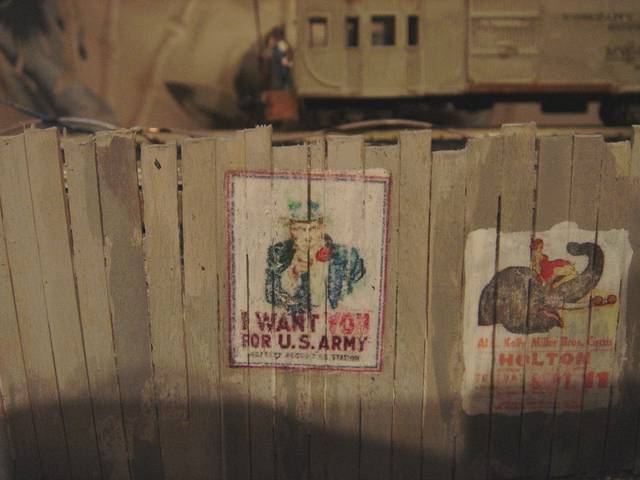
My solution to this problem is to paint a white background on the surface before applying the decal. That restores the color balance, too, and all the space with no ink will come out white. For example…
Decal users know that getting a good, clean application of a decal requires a smooth, clean surface. Generally, the recommended practice is to use a gloss or satin finish coat over the model before applying the decal, followed by a protective coat of the same stuff to seal the decal in. But, on a building that’s been outside for a while, exposed to sun, wind and rain, you really don’t want a good, clean-looking image. You want it to look weathered. This happens pretty much automatically if you apply it to a rough, uneven surface. For this building, I took advantage of a brick wall mortared with Hydrocal and coated with Dul-Cote:
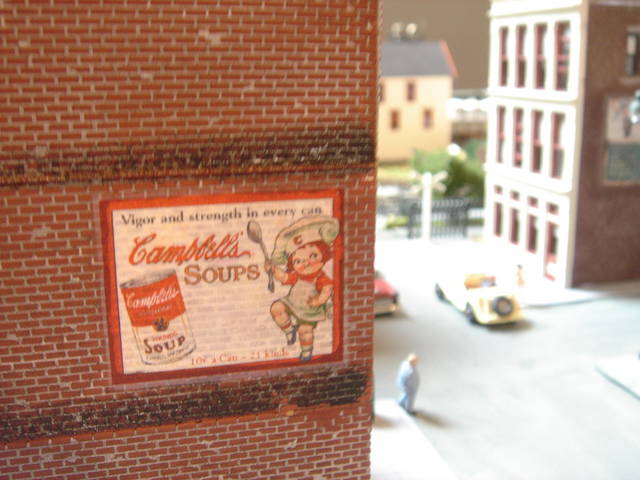
(
MisterBeasley. When you use the liquid decal film do you spray it with an air brush and if so what do you use to thin it. thanks
I wait a couple of days for the ink to completely dry. Then I lay down the sheet on my workbench and weight down the edges so there is no curling and the whole thing stays flat. Then I paint on the film with a small, cheap artists paintbrush, let it dry 6-12 hours, and put on a second coat.
For me, the trick is to keep the decal flat. Before I was careful about this, I found that the ink would bleed a bit and flow downhill. Since I started being careful about flatness, my decals come out much better.