In your opinions which layout software do you choose to be the most useful as well as easy to use? I realize this is a personal preference type of a question but that is exactly what I’m looking for. Thanks everyone for any help you can provide.
Respectfully, Vince
P.S. I don’t think I’m going to find help w/ my “Saratoga Yard” plan but perhaps I can come close enough w/ the help of a CAD software.
CAD is just neat drawing machine. If you can’t do it on a piece of paper you can’t do it on CAD either. The real problem must be something different.
I wish you all the luck finding out; keep having fun.
I found RTS pretty easy to understand, but all programs need some time. Depends on your wishes; e.g. RTS-freeware only has an Atlas library and not all the functions of the paid version (Winrail).
All CAD track plannings tools will not take away the design effort, for which you need only paper, pencil and maybe a ruler, plus a lot of knowledge, which you can acquire by reading the respective literature. Our host Kalmbach offers excellent books for this - just check the “our Store” section here. CAD systems do help you to convert your drawing into a trackplan that works. Some of them even allow you to print out your plan on a 1 : 1 basis, allowing it to be used as a template.
Again, don´t expect a CAD system to take over your design process - you have to dream it, they help you to plan it.
Btw, I am using WinRail, which essentially is RTS, but with a brand independant track library, including Peco, Walthers/Shinohara, Kato etc. I am quite happy with it.
RTS is free and fairly easy to use, but, as pointed out, is limited to an Atlas sectional track library and only a few structure libraries. RTS cannot open WinRail files. I found XTRAKCAD more powerful but with a much steeper learning curve and a number of user interface quirks. WinRail (RTS is based on version 8) is also easy to use but is not free. It is much more powerful than RTS with a richer feature set (e.g., editing benchwork, working with flex track).
As to the more personal issue of pencil and paper first, yes you can sketch something out to get a sense of what might work for you (this is the heart of John Armstrong’s squares), but I find that using a program is far easier. So much easier to rearrange elements of track and structure. Plus I can actually see what might work in a given space. But then, I can usually visualize what the layout will look like (btw, buildings are far bigger than you would think and track bed is not a pencil line).
I think what you should right down is what your goals are, what is important to you and what the limitations are including the space (“givens and druthers”. You should read John Armstrong’s book Track Planning for Realistic Operation, Third Edition or the MR special issue 102 Realistic Track Plans which contains an exposition of the basic concepts from Armstrong’s book.
Might be because you haven’t actually asked for help with your layout.
What you have done is to say you wanted to make a H0 scale layout based on the D&H yard in Saratoga Springs, and that you have a basement to work in.
You have been given quite a few tips on places to go find more information on the D&H, and on layout design.
You have also been asked to provide a drawing & description on the room you want to build your layout in. You did not reply to that question.
If you want help designing your own track plan, you need to be a bit more active.
I suggest you first read some of the links you were given in your first thread, and you then come back with a description of the room and your “given and druthers” - ie what limitations you have to stay within, and what you want to be able to do on your layout.
The first step of creating a layout design is not to learn to use a drawing program - it is to come up with a reasonably clear description of what your goal is.
You want to replicate the yard. In H0 scale. What aspect or aspects of the yard do you want to model?
I designed Phase 1 of my layout in RTS (free from Atlas) and Phase 2 in XtrakCad. I agree with Alan’s assessment - RTS is easier, XtrakCad is more powerful. (I had a computer crash after Phase 1, by the way, so I lost my RTS installation and decided to try XtrakCad, since RTS was gone anyway.)
At least for me, these program are good for getting a feel for a track plan, but I don’t go for doing a design down to the last centimeter of precision. I don’t worry much if the track ends don’t quite mate, and parts of the layout might be in one file, while other sections are in another file. I am careful to make sure I don’t bend flex track beyond my 18-inch minimum radius.
Now that I’ve got the benchwork up and I’m starting to lay track on foam, it’s nice to have a rough plan to work from. But, if a siding looks better six inches from where the plan says it goes, well, I’ll trust my eye more than the plan.
Of course if you want precision work at 1to1 which means a fast computer and a rather wide printer or plotter (anyone know where I can get a under $200 printer/plotter that handles 36 inch wide by 18ft paper? [;)] or lot’s of scotch tape.
Design programs are handy for trying things out to see if they would work (and where turnouts cross junctions in benchwork).
The only real problem I have with WinRail is the way it deals with benchwork and track heights; still haven’t mastered that feature (and it turns out my spacing between mainlevel and staging is closer to 14 inches rather than 8).
Take a step back. I haven’t asked for much advice or help because of many reasons. The most important that I’ve only just begun & am only starting to research the Saratoga yard, what was there, where it was. Also, Stein, what I meant was that the help I may need in replicating the yard would not come from CAD software. I did look into some of the info provided me by postings & I am grateful for that okay STEIN. Get a grip & smile, Stein…
My recommendation is Winrail. Enough features for most people and far, far easier to learn than all the CAD-based programs.
BTW, what a pathetic forum from a user perspective - every time I want to post a reply, I find that my password has been unilaterally changed. There is no other forum of the many I belong to that pulls this crap.
Actually, in seriousness, many printers (inkjets mainly I guess) will technically handle long rolls of paper if you can just get the driver software to cooperate. You may need to rig up some way to hold it steady & straight to feed it-- but the drive mechanism is typically conducive to the project-- as long as it doesn’t turn the paper during printing-- i.e., you need a “straight paper path”.
Many printers do offer a straight paper path, even if its not the primary path, via a little door or similar such on the back of the printer. Often used to secondary paper, envelopes, stiffer paper, etc. Items fed via this path are generally not turned over but instead fed straight through.
Convincing your driver software is a little more difficult-- but here, many drivers use paper “prototypes” (i.e. Letter, A, B, etc) to set-up the expectations of the printer & driver. Perhaps you could simply add a new custom prototype that matches 8-1/2" x 216" (18 ft) that will do what you want. You may also need to make sure your printer doesn’t “back-up” to print additional colors-- or else you may just want to tell it (via the prototype) that its “black & white” output only which should keep it from backing up.
You might have to experiment a bit to find settings that work the way you want. But there’s a good chance if you have any sort of decent printer-- doesn’t have to be uber-expensive-- that you can get it to do what you want.
Or maybe not… your mileage may vary… may cause hairy palms… e pluribus unum… and other legal junk… [:)]
I have found AnyRail (available here) to be the best product out there. It is NOT a CAD program, and as such has simple drawing tools, but a huge number of track libraries. You mostly have to draw your own buildings, but this is pretty easy to do. Unfortunately, the demo is extremely limited, and it’s difficult to fully evaluate the product using it.
The nice thing is, there is a very shallow learning curve – you can be laying virtual track in less than half an hour. For my money, I’d rather spend my time actually using the tool than learning how to. You can also export your track plans to TrainPlayer.
For me, I use 3rdPlanit. Its very good software for general-purpose track planning. I use it much in the same way that you might use a pocket calculator or a spreadsheet program in some other context. Once you get the hang of it, its very handy that way.
3rdPlanit is extremely flexible and is a true model railroad CAD program. I think its learning curve is kinda steep, but that said, once you put the time investment in to learn it, the results are spectacular and well worth your effort, IMO.
I originally set out to “design my layout” with 3rdPlanit, which was the beginning of a very interesting journey. Partly from the “learning curve” of the software standpoint, and partly from the learning curve of designing layouts in-general standpoint.
I must have designed and re-designed and designed again over and over my layout a bajillion times. And in truth at times it seemed more an exercise in discovery of what I didn’t want or wouldn’t work more often than the reverse. But I stuck with it and eventually the software didn’t seem so unfamiliar or unwieldy anymore and I had an excellent concept of what would and could fit into my space.
One of the very first things I did-- and I STRONGLY recommend the same to you, whatever software you use or whatever your approach to your design is-- was to make an exacting plan of the basement space. I measured everything as carefully as I could, noted all the “problem” areas and/or spaces I could / couldn’t use, etc. Also note that these items may exist at different heights as well. You might, for instance, only have a problem with a particular location at one elevation but not another. Those are things you should note on your basement space plan.
And then of course I did that again because the first time I didn’t think of everything or measur
Hi everyone! I have to agree with John that 3rdPlanit is a very useful tool. I have read in other posts that using CAD programs can lead to problems because of discrepancies between the CAD dimensions for a turnout and the actual size of the turnout or there may be other real application issues. To test this I measured the size of the turnouts on the CAD drawing vs the size of the actual turnout. I found that 3rdPlanit actually gives you a little extra space for each turnout so rail gaps and joiners will be easily accomodated in the design. Here is my caveat! I have yet to build the layout so I may be dreaming about the accuracy of the design, however using the CAD program has allowed me to very carefully study every inch of track to identify problems. If it doesn’t work the way I planned you can rest assured that I will post several notes about how mislead I was by the program. However, for now, having read numerous cautions about the use of CAD I believe (however naivley) that I have a decent plan. I sure as he… hope so! Take care. Dave
I just purchased V10.0 of Winrail (and added all the downloadable libraries) and there is NO
Walthers (yes there is Shinohara code 70 and code 100 libraries, but I want code 83) Do you actually have a walthers.bdf file? (and if so, I would sure like to have it.
I have designed 3 of my 4 layouts on XtrkCad. I likethe software and it is not bad for free 2D CAD. It does have a few quirks that can be annoying when you start using the program but all and all it works well, the templates are within a milimeter of the actual track lengths, it can print 1:1 scale (I used it once even). The learning curve here I didnt find too steep since there is a video tutorial that comes in the “Help” menu. The part I dont like about it is the libraries, it is not very clear how to load them and the video does not show how to load them. The video was created when Sliub still produced the program and the libraries were already loaded. Newer versions do not come with the libraries loaded and you get to load what you want in the database. There is also a Yahoo group for XtrkCAD that has some users that really know the software and some have created new libraries for different tracks and buildings in all scales. It is free so give it a try.
Also I have to also agree with what was said about measuring everything once and twice maybe even 3 or 4 times and making a template of your layout room, and saving that file before you even start. Very important thing to do.
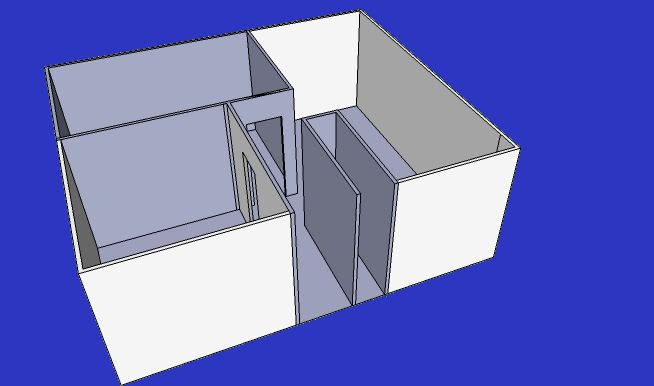
I don’t know if this is of any help but I’m teaching myself how to use Google SketchUp (many versions freeware), one of the easiest introductions to CAD there is out there.
I recently discovered how to put actual wall dimensions in, right down to wall thickness & height so I’ve been able to model my modest apartment as an aide to planning my ceiling train project - at one point I had considered going through the walls, and so needed to know where a curve would end if it started ‘outside’ the box…
This has all been so much fun that we’re going to model my sister’s entire 1-storey house, wires, plumbing, etc; should give her quite the leading edge over itinerant handymen…